
Introduction
Every organisation needs to control who can enter certain spaces, access sensitive information, or use critical systems. Whether it is an employee entering an office, a contractor accessing a restricted area, or a user logging into a business application, door access control systems ensure that only authorised individuals are granted access.
Demand for access control is growing, and Malaysia clearly reflects this. The local market is projected to grow from USD 114.4 million in 2025 to USD 254.5 million by 2034, driven by smart city initiatives, IoT adoption, and stricter security requirements. In this guide, we explore what access control is, why it matters, the different types of access control used today, and how to choose the right approach for your organisation.
What is Access Control?
Access control is the process of regulating who can access specific resources, areas, or systems, and what actions they are allowed to perform. Its purpose is simple: to ensure that only authorised individuals can gain access to sensitive assets.
Main Components of Access Control
At its core, access control relies on three key functions:
- Identification – Determining who the user is
- Authentication – Verifying that identity
- Authorisation – Defining what the user is allowed to access or do
- Access – Granting or restricting entry or access based on the user’s permissions
- Management – Creating, updating, and removing users, credentials, access permissions, and security rules as needed
- Audit – Recording and reviewing access activity to monitor usage and support security investigations
Access control forms the foundation of physical and digital security by helping organisations protect people, information, and critical resources from unauthorised access. For a deeper understanding of the principles and technologies behind it, explore our guide on what access control is in security.
What is an Access Control System?
An access control system is a combination of hardware, software, and policies that control who can access a particular space, resource, or system. It uses access control by verifying identities, then granting or denying access based on predetermined permissions.
An access control in security can be as simple as a single keypad-controlled door or as sophisticated as a centralised platform managing thousands of users across multiple buildings and locations
Why is Access Control Important?
- Risk Reduction: Restricting access to sensitive resources helps minimise the impact of external threats, credential compromise, and unauthorised activity.
- Regulatory Compliance: Many regulations and industry standards require organisations to control and monitor access to sensitive information. Access control helps demonstrate compliance and supports audit readiness.
- Reduced Insider Risk: Limiting access based on job roles and responsibilities helps reduce the risk of accidental errors, unauthorised actions, or deliberate misuse by internal users.
- Enhances Operational Efficiency: Automated access permissions reduce the need for physical keys, simplify visitor management, and allow administrators to update access rights quickly as roles change.
- Improves Accountability: Access logs provide a clear record of entry and access activity, supporting incident investigations, compliance audits, and employee attendance management.
What are the Major Types of Access Control Systems?
Access control can generally be classified according to what it protects (physical or digital resources) and how access decisions are made.
Physical vs. Logical Access Control
1. Physical Access Control
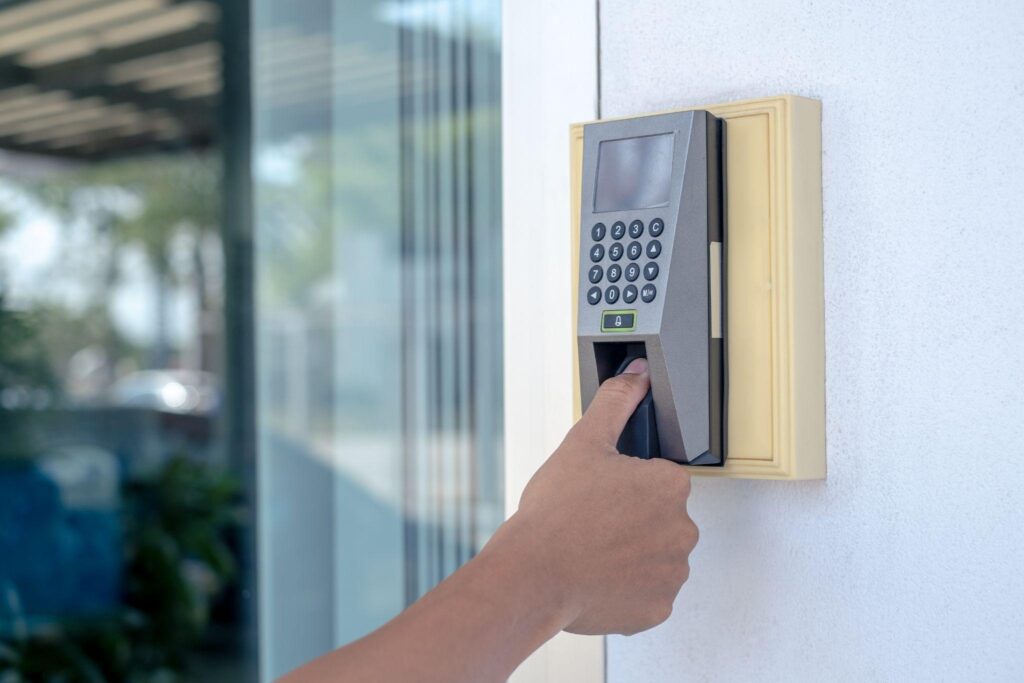
Physical access control regulates entry to buildings, rooms, and facilities. It uses technologies such as keycards, PIN pads, biometric readers, turnstiles, and electronic locks to control who can enter a specific area.
Examples:
- Employee badge access to an office
- Fingerprint entry to a server room
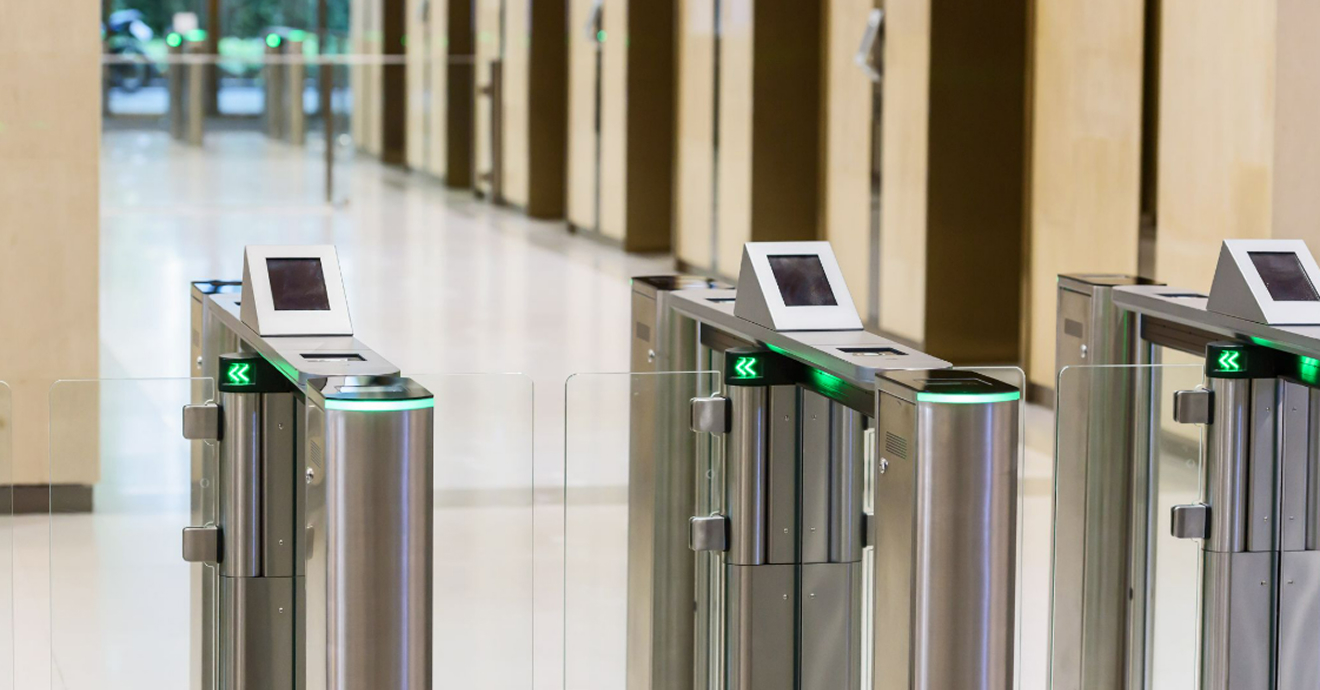
- Turnstile access in a commercial building lobby
Physical Access Control Systems Comparison
| System Type | How It Works | Best Suited For | Key Consideration |
| Keycards / Fobs | Users tap or swipe a card or fob against a reader to unlock a door or gate. | Offices, apartment buildings, and facilities with moderate security needs. | Cards can be lost, stolen, or shared, so they’re often paired with visitor logs or audit trails. |
| PIN Pads | Users enter a numeric code to gain entry, either alone or alongside another credential. | Server rooms, storage areas, and shared entry points where issuing physical cards isn’t practical. | Codes can be shared or observed, so they work best combined with another method. |
| Biometric Readers | Fingerprint, facial recognition, or iris scanners verify a person’s unique physical traits before granting access. | High-security areas like data centres, pharmacies, and restricted labs. | Harder to share or fake than cards or codes, but installation and upkeep cost more. |
| Turnstiles | Mechanical or electronic barriers that only rotate or open once a valid credential is presented. | Building lobbies, transit systems, and high-traffic entry points. | Controls one person at a time, which helps prevent tailgating, but adds a physical bottleneck. |
| Electronic / Smart Locks | Doors unlock via app, keycard, code, or biometric input, often with remote management. | Small offices, co-working spaces, and facilities needing flexible or remote access control. | Easy to reconfigure without rekeying, but relies on stable connectivity or battery power. |
2. Logical Access Control

Logical access control regulates access to digital resources such as applications, databases, networks, and computer systems. It determines who can log in, what information they can view, and what actions they can perform.
Examples:
- Logging into a company email account
- Accessing financial records in an ERP system
- Connecting to a corporate network
Most organisations rely on both physical and logical access control to protect their facilities, assets, and information.
Types of Access Control Models in Security with Examples
The following models describe how access decisions are structured and enforced.
1. Discretionary Access Control (DAC)

In a DAC model, the owner of a resource decides who can access it and what permissions they receive. This approach offers flexibility but relies on users correctly assigning permissions.
Pros:
- Flexible and easy to implement
- Resource owners retain direct control over their own data
- Well-suited to collaborative workflows
Cons:
- Relies heavily on individual users making correct permission decisions
- Higher risk of accidental overexposure or misconfiguration
- Difficult to enforce consistently across large organisations
Example:
- A manager shares a project folder with selected team members and decides whether they can view, edit, or manage the files.
- A department head grants a temporary contractor read-only access to internal documents for the duration of a project.
Best Suited For:
Collaborative environments where users frequently share and manage resources.
2. Mandatory Access Control (MAC)
In a MAC model, access permissions are controlled by a central authority and assigned according to security classifications or clearance levels. Individual users cannot change these permissions.
Pros:
- Highly secure and resistant to user error
- Consistent enforcement across the entire organisation
- Reduces the risk of unauthorised data exposure
Cons:
- Rigid and difficult to adapt to changing operational needs
- Complex to implement and maintain
- Limited flexibility for day-to-day user requirements
Example:
- A government employee can only access documents that match their assigned security clearance level.
- A defence contractor is restricted from viewing project files classified above their authorisation tier, regardless of their role on the team.
Best Suited For:
Government agencies, defence organisations, and high-security environments.
3. Role-Based Access Control (RBAC)

In an RBAC model, permissions are assigned based on job roles rather than individual users. Employees automatically receive access rights relevant to their responsibilities.
Pros:
- Straightforward to manage and scale
- Reduces administrative overhead when onboarding or changing roles
- Minimises the risk of excessive individual permissions
Cons:
- Can result in over-permissioning if roles are defined too broadly
- Less effective in environments where access needs vary significantly within the same role
- Role definitions require regular review to stay accurate
Example:
- Doctors can access patient records, nurses can access medication schedules, and administrative staff can access billing systems.
- When an employee moves from the sales team to operations, their access profile updates to reflect the new role without manual reconfiguration.
Best Suited For:
Businesses, hospitals, educational institutions, and organisations with clearly defined roles.
4. Attribute-Based Access Control (ABAC)

In an ABAC model, access decisions are based on multiple factors such as a user’s role, location, device, department, or time of access.
Pros:
- Highly granular and context-aware
- Adapts to complex or dynamic access requirements
- Reduces reliance on broad role definitions
Cons:
- More complex to design and configure than simpler models
- Policy management can become difficult to maintain at scale
- Requires reliable, up-to-date attribute data to function correctly
Example:
- An employee may access a confidential report only on a company-issued device during working hours.
- A third-party auditor is granted temporary access to financial records only from within the company’s office network and only during the audit period.
Best Suited For:
Large organisations and environments requiring detailed, context-based access control.
5. Rule-Based Access Control (RuBAC)

In a RuBAC model, access is controlled by predefined rules that apply across the system. These rules are typically created and managed by administrators.
Pros:
- Consistent and predictable enforcement
- Easy to apply uniform restrictions across users or locations
- Useful for time-based or geography-based access policies
Cons:
- Rules can become complex and difficult to manage as systems grow
- Less adaptable to individual or contextual access needs
- Requires ongoing administrative effort to keep rules current
Example:
- Employees can only access a building between 8:00 a.m. and 6:00 p.m., or users from certain countries are blocked from accessing a system.
- A server room is configured to deny all access attempts outside of business hours, regardless of the user’s role or credentials.
Best Suited For:
Organisations that need consistent, policy-driven access restrictions.
6. History-Based Access Control
In a history-based model, access decisions are shaped by a user’s past activity rather than fixed roles or rules alone. The system tracks patterns such as request timing, content accessed, and which doors or resources were used recently, then flags requests that fall outside a user’s established pattern.
Pros:
- Can catch unusual requests that role-based systems might miss
- Adds a layer of context on top of standard permissions
- Useful for spotting potential misuse or compromised credentials
Cons:
- Requires ongoing tracking and analysis of user activity
- Can generate false flags for employees whose roles are genuinely shifting
- More complex to set up and maintain than static rule sets
Example:
- An employee who has only ever accessed secured accounting files suddenly requests next year’s marketing roadmap, triggering a flag for review.
Best Suited For:
Organisations that want an added layer of behavioural monitoring alongside their existing access control model.
7. Zero Trust Access Control

Zero Trust follows the principle of “never trust, always verify.” Every access request is continuously validated, regardless of whether it originates inside or outside the organisation’s network.
Pros:
- Strong protection against both external attacks and insider threats
- Well-suited to cloud and remote work environments
- Limits the blast radius of any single compromised account
Cons:
- Significant investment is required in infrastructure and tooling
- Can introduce friction for end users if not implemented carefully
- Requires ongoing monitoring and policy management to be effective
Example:
- An employee logging in from a recognised device must still complete multi-factor authentication before accessing company systems.
- A user who has been active on the network for several hours is prompted to re-authenticate when attempting to access a sensitive financial system.
Best Suited For:
Cloud-based environments, remote workforces, and organisations with advanced security requirements.
8. Break-Glass Access
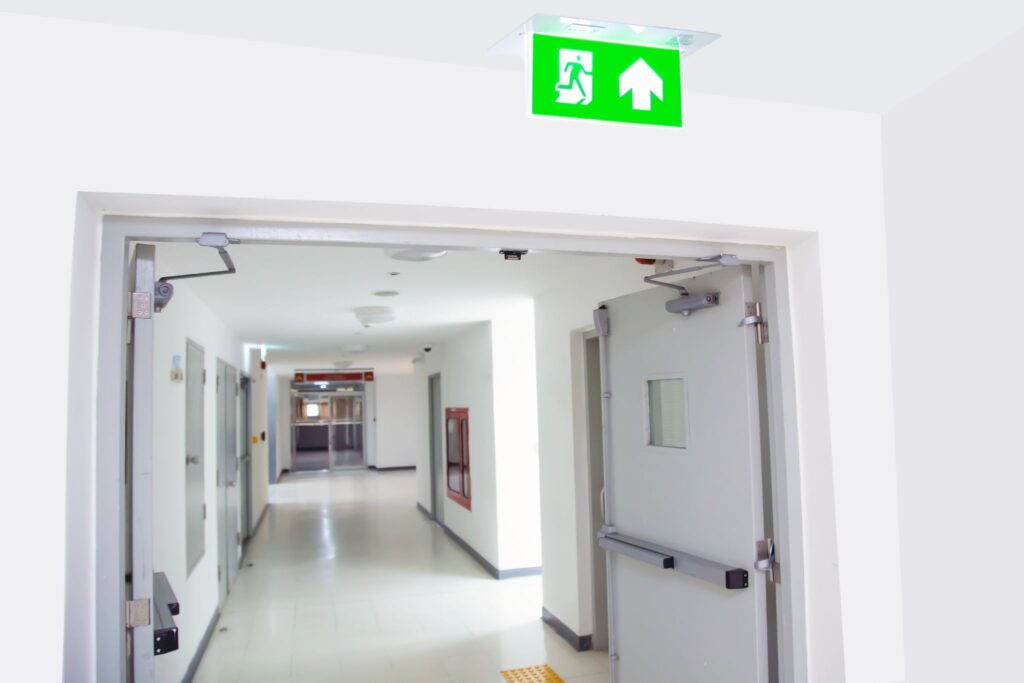
Break glass access provides emergency, time-limited entry to critical systems or areas when standard authentication isn’t fast enough or available.
Pros:
- Ensures critical systems remain reachable during emergencies
- Reduces delays when every second counts
- Detailed logging supports accountability after the fact
Cons:
- Can be misused if not tightly controlled and monitored
- Requires clear policies on when it’s justified
- Needs regular audits to prevent it from becoming a workaround
Example:
- A security team grants temporary building access to first responders during a fire alarm.
Best Suited For:
Emergency response, healthcare, and critical infrastructure.
Comparison Table of Types Of Access Control Models In Security With Examples
| Model | How It Works | Example | Best Suited For |
| DAC (Discretionary Access Control) | Resource owners decide who can access their files or resources. | A manager grants team members access to a project folder. | Collaborative workplaces. |
| MAC (Mandatory Access Control) | Access is based on security clearances set by a central authority. | A government employee can only view documents matching their clearance level. | Government and high-security environments. |
| RBAC (Role-Based Access Control) | Access is assigned according to a user’s job role. | Doctors access patient records while administrative staff access billing systems. | Businesses, hospitals, and schools. |
| ABAC (Attribute-Based Access Control) | Access is granted based on factors such as role, location, device, or time. | An employee can only access sensitive files from a company device during office hours. | Large organisations with complex access requirements. |
| RuBAC (Rule-Based Access Control) | Access follows predefined rules set by administrators. | Building access is only allowed between 8:00 a.m. and 6:00 p.m. | Organisations with strict security policies. |
| History-Based Access Control | Access decisions are shaped by a user’s past activity, flagging requests that fall outside their established pattern. | An employee who only accesses accounting files suddenly requests next year’s marketing roadmap, triggering a flag. | Organisations wanting an added layer of behavioural monitoring. |
| Zero Trust Access Control | Every access request must be verified, regardless of where it comes from. | An employee must complete multi-factor authentication before accessing company systems. | Cloud-based and remote work environments. |
| Break-Glass Access | Grants emergency, time-limited access when normal authentication isn’t fast enough, with heightened logging for review. | An admin overrides permissions to restore patient records during a system outage. | Emergency response and critical infrastructure. |
How Are The Different Types of Access Control Systems Deployed?
Modern access control systems generally come in three deployment models: on-premises, hybrid (or pseudo-cloud), and cloud-native.
1. On-Premises Systems
With on-premises systems, the software runs on servers owned and managed by the organisation itself. This gives businesses the highest level of control and customisation over their setup. The trade-off is that scaling up or rolling out updates tends to get more complicated as the system grows.
2. Hybrid Systems
Hybrid solutions take an on-premises style system and host it in a cloud environment managed by the provider. This gives organisations a middle ground, more control and customisation than a fully cloud-based system, without the burden of managing installation and maintenance in-house.
3. Cloud-Native Systems
Cloud-native systems are hosted and managed entirely by a third-party provider, offering easier scalability and remote accessibility. These are usually subscription-based, which helps reduce the administrative workload and makes it easier to add features as an organisation’s security needs evolve.
Best Practices for Implementing Access Control

- Stick to the Principle of Least Privilege: Give people access to only what they need for their role, nothing more. It sounds basic, but it’s one of the easiest ways to limit damage if an account ever gets compromised.
- Turn on Multi-Factor Authentication (MFA): A password alone isn’t enough anymore. Adding a second verification step makes stolen or guessed credentials far less useful to whoever’s trying to get in.
- Review Permissions on a Regular Basis: People change roles, take on new projects, or move departments, and their access should shift with them. Regular reviews catch the outdated or excessive permissions that tend to pile up over time.
- Have a Solid Offboarding Process: When someone leaves, whether an employee, contractor, or vendor, their access should go with them. Dormant accounts are one of the easiest ways for unauthorised access to slip through unnoticed.
- Put Access Policies in Writing: Documented rules make it easier to train staff, apply access consistently, and breeze through audits or compliance checks when they come up.
- Pair It With Other Security Measures: Access control works best as part of a bigger picture, alongside identity management, network security, and a clear incident response plan.
- Prioritise User Experience: Security that’s too clunky tends to get worked around, whether that’s employees propping doors open or sharing credentials just to save time. The easier and more intuitive the system is to use, the more likely people are to actually follow it.
- Plan for Compliance: If your access control system collects biometric data, keycard logs, or other personal information, it falls under Malaysia’s Personal Data Protection Act (PDPA). Make sure data is stored securely, only kept for as long as necessary, and that employees are informed about what’s being collected and why.
Common Challenges in Access Control and How to Address Them
Even with the right technology in place, organisations often face challenges when managing access across people, locations, and systems.
1. Managing Multiple Locations and Systems
Organisations operating across different sites, cloud platforms, and applications can struggle to maintain consistent access policies across their environment.
How to Address It: Manage access through a centralised platform so that permissions remain consistent across all sites and systems.
2. Password Fatigue
Users managing multiple passwords may adopt poor security habits, such as reusing credentials or choosing weak passwords, increasing the risk of unauthorised access.
How to Address It: Use multi-factor authentication (MFA) and Single Sign-On (SSO) to strengthen security while reducing the number of passwords users need to remember.
3. Orphaned Accounts
Accounts belonging to former employees, contractors, or vendors that remain active after departure can become a significant security vulnerability.
How to Address It: Automate the process of granting and removing access so permissions are updated quickly when employees join, change roles, or leave.
4. Overly Complex Systems
Access control systems that are difficult to configure, manage, or understand are more likely to be used inconsistently or configured incorrectly.
How to Address It: Keep access policies and workflows as simple as possible, supported by clear documentation, user training, and regular system reviews.
5. Keeping Permissions Up to Date
As employees change roles, departments, or responsibilities, access permissions can quickly become outdated if they are not reviewed regularly.
How to Address It: Conduct periodic access reviews and use role-based permissions to ensure access rights remain aligned with current responsibilities.
How to Choose the Right Access Control System

Selecting the right access control system depends on your organisation’s security requirements, operational needs, and long-term goals.
1. Assess the Scale and Complexity of Your Organisation
Consider the number of users, locations, departments, and access points that need to be managed. Smaller organisations may benefit from simpler systems, while larger or more complex environments often require more flexible access control models.
2. Evaluate Your Security Requirements
The level of security should reflect the sensitivity of the assets being protected. Organisations handling confidential information, critical infrastructure, or regulated data typically require stricter access controls and verification methods.
3. Review Your Existing Infrastructure
Consider how the new system will work with your existing hardware, software, cloud services, and business systems. Good compatibility can simplify implementation and reduce costs.
4. Consider Both Physical and Digital Access Needs
If you need to manage access to buildings as well as digital systems, look for a solution that can support both under a unified framework.
5. Plan for Future Growth
Choose a system that can accommodate additional users, locations, and security requirements as your organisation expands without requiring a complete replacement.
6. Compare Long-Term Costs
Look beyond the initial purchase price and consider ongoing expenses such as maintenance, software licensing, support, upgrades, and administration when evaluating different solutions.
Conclusion
Access control is not a problem you solve once. It requires ongoing review, clear policies, and the right systems to ensure only authorised individuals can access your facilities and resources.
The right access control system should not only meet your current requirements but also adapt as your organisation grows and security needs evolve. As a security system supplier in Malaysia, CMC Solutions helps businesses implement access control solutions built for long-term performance. Contact us today to find the right fit for your organisation.
Frequently Asked Questions on the Types of Access Control in Security
1. What is the difference between authentication and authorisation?
Authentication verifies that a user is who they claim to be, typically through a password, biometric scan, or security token. Authorisation comes after and determines what that verified user is permitted to access or do.
2. What is the difference between fine-grained and coarse-grained access control?
Coarse-grained access control applies broad permissions, giving users access to an entire system or resource. Fine-grained access control is more detailed, controlling access to specific actions, records, or data fields.
Fine-grained access control offers greater flexibility and security but is typically more complex to manage.
3. What is the difference between RBAC and ABAC?
Role-Based Access Control (RBAC) assigns permissions based on a user’s job role. Attribute-Based Access Control (ABAC) goes further by evaluating multiple factors such as location, device, department, and time of access before granting permission.
RBAC is simpler to manage and suits most organisations well. ABAC is better suited to environments where access needs to be more tightly controlled based on context.
4. How often should access permissions be reviewed?
Access permissions should be reviewed regularly, typically every three to six months for most organisations, and immediately following role changes, departures, or significant system updates. Many organisations automate this process through identity and access management (IAM) platforms.
5. What is Zero-Trust and how is it different from traditional access control?
Traditional access control often operates on the assumption that users inside a network can be trusted. Zero Trust removes that assumption entirely. Every access request is verified continuously, regardless of where it originates, who the user is, or what device they are using.
6. Can a building use more than one type of access control at the same time?
Yes, and most do. A commercial building might use RBAC to determine which employees can access which floors, PIN pads or keycards at the main entrance, and break glass access for emergency responders during a fire or security incident. Layering different models usually gives better coverage than relying on just one.